Edisco - An End to End LMS Endeavor
A way to modernize the way students and instructors manage courses in colleges, allowing everyone to spend less time wrestling with the system and more time on what really matters - learning and teaching.
Inside this project ↓
Key Deliverables
Vue.js, PrimeVue, TailwindCSS
View Published UI Library
Node.js, Express.js
View Repo
Adobe XD
View Design
🔍 Research and Planning
What is “Edisco”?
Edisco is a modern Learning Management System (LMS) that aims to streamline the way students and instructors manage courses in colleges. The word “Edisco” is derived from the Latin word “disco” which means “I learn”. As new colleage students, sometimes we are deeply frustrated by the way we have to sign up our courses. Because the aged system is not user-friendly and it is hard to find the courses we want to sign up. Edisco is here to solve this problem.
 Some alternate names we had for Edisco
So, what’s the problem?
Note: This study pertains to the course registration & e-learning system used by Wilfrid Laurier University (WLU) back in 2019, so some of the situations might have changed
Lets first define the problem space:
Course Sign Up Flow:
The process it takes from the moment a student decides to sign up for a course to the moment they are successfully enrolled in the roster.
This means we are not trying to reinvent the way the courses are taught, but rather the way they are managed and showcased.
The course sign up flow at WLU is a multi-step process that involves a lot of manual work. Typically the student has to go through the following steps:
- Get the catalog: students obtain a “catalog” from their faculty that lists all the required courses they have to take.
- Find the course code: students will need to login to LORIS, a heavily-dated platform that provides course browsing and registration function, to browse for the code of the course they want to sign up.
- Arrange Schedule: Due to the complicated nature of different course sessions & the existence of labs and tutorials. Students will need to input the course code into another web tool Dynamic Schedule to get smart suggestions to arrange their schedule.
- Sign Up: After the schedule is arranged, students will need get a token generated by Dynamic Schedule and input it into LORIS to sign up for the course.
- Wait for Confirmation: After the sign up, students will need to wait for the system to confirm their registration. If the course is full, they will need to wait for the system to notify whenever there is a slot opens up.
- Exception Handling: In the cases of exceptions, e.g. students with the same name, transfer students, skipping prerequisite, students need to either pay a visit to, or phone the academic offices for resolution.
Based on the above process, we can see that the course sign up flow is:
- Complicated: The process flows between multiple steps and multiple systems, which creates learning barrier for newcomers.
- Manual: The process involves a lot of manual work; information sharing is not centralized, and sometimes relies on world-of-mouth.
- Distracting: The process distracts students from the main purpose of signing up for courses - to learn.
Where do we want to go?
Now that we have identified the problems, we can start to think about the solutions. We want Edisco to be A :
- Showroom: To showcase the diversity in course offerings.
- Torch: To spark the interest of students in exploring topics they never tapped into before.
- Messenger: To facilitate student-student and professor-student communication.
- Assistant: To assist students managing their academic priorities.
📝 Requirement Analysis and Grooming
User Persona
Our intention is to only have one persona, so that we can best focus on a specific user group at the starting phase. When we expand to more organizations & learners, we will go back to the persona and make necessary adjustments. Here are our steps to create the persona and user Stories:
Brainstorming: We started by visioning a typical student at WLU, and then we started to think about as many traits as possible. These are written down and molded into a total of 6 users
Researching: To validate our assumptions, we need to gather data from real students/instructors. We conducted a survey to gather data on around 20 students, focusing on their habits, preferences, and pain points.
I don't understand the error message displayed
I want students to know more about my courses by serving images or videos
I wish I can know a bit more about the professor
I want the system to enroll all the mandatory courses for me
I find the website terrible to use on mobile
There are way too many subjects. I don't know what to pick
Trimming: We then analyzed the data and adjust our expectation to the ideal users.
Finalizing: We then finalized the persona.
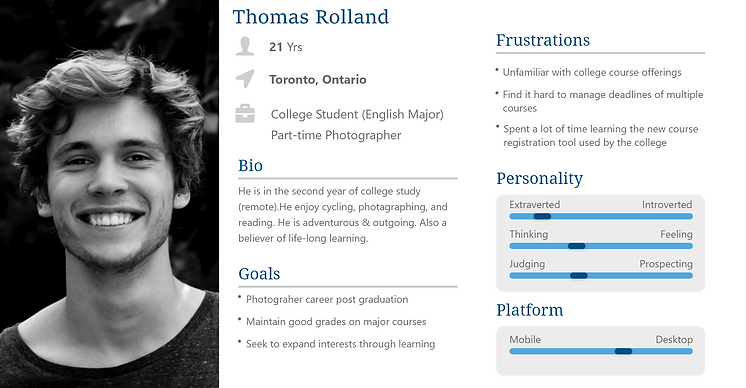 Our User Persona
Backlog Grooming
After defining our users and their pain points, we started to create user stories by taking the following steps:
- Feature Definition: We started by listing all the features we can think of that can help our users to address their pain points.
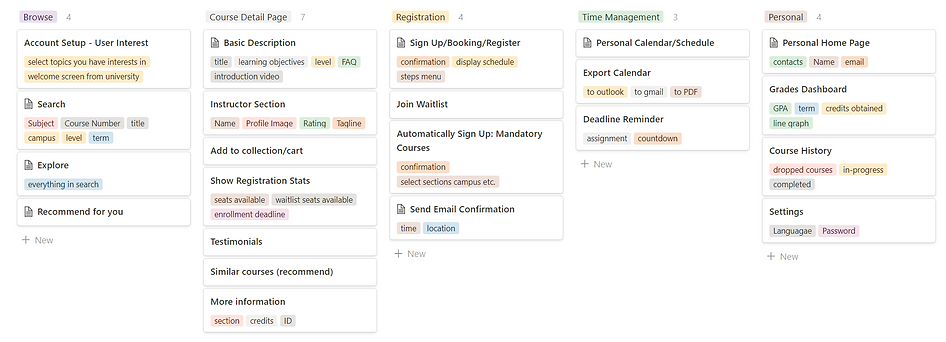 Listing Features on Board
- Prioritizing: We then trim and prioritize the features based on:
- the severity of the issues
- the technical feasibility of the feature.
- the impact of the feature on the user experience.
- Grooming: We then breakdown the features into user stories, and then into tasks.
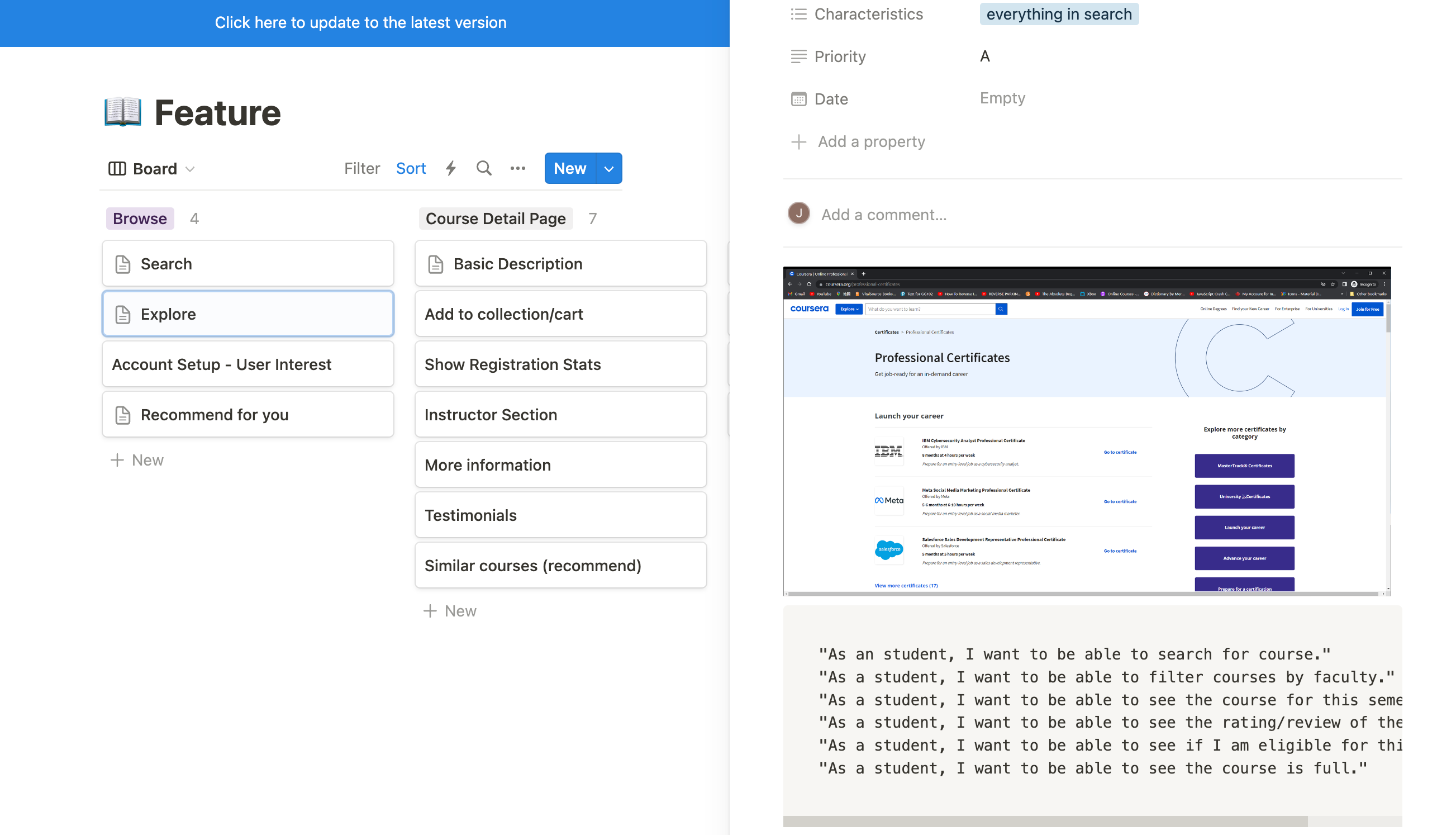 Creating User Stories
 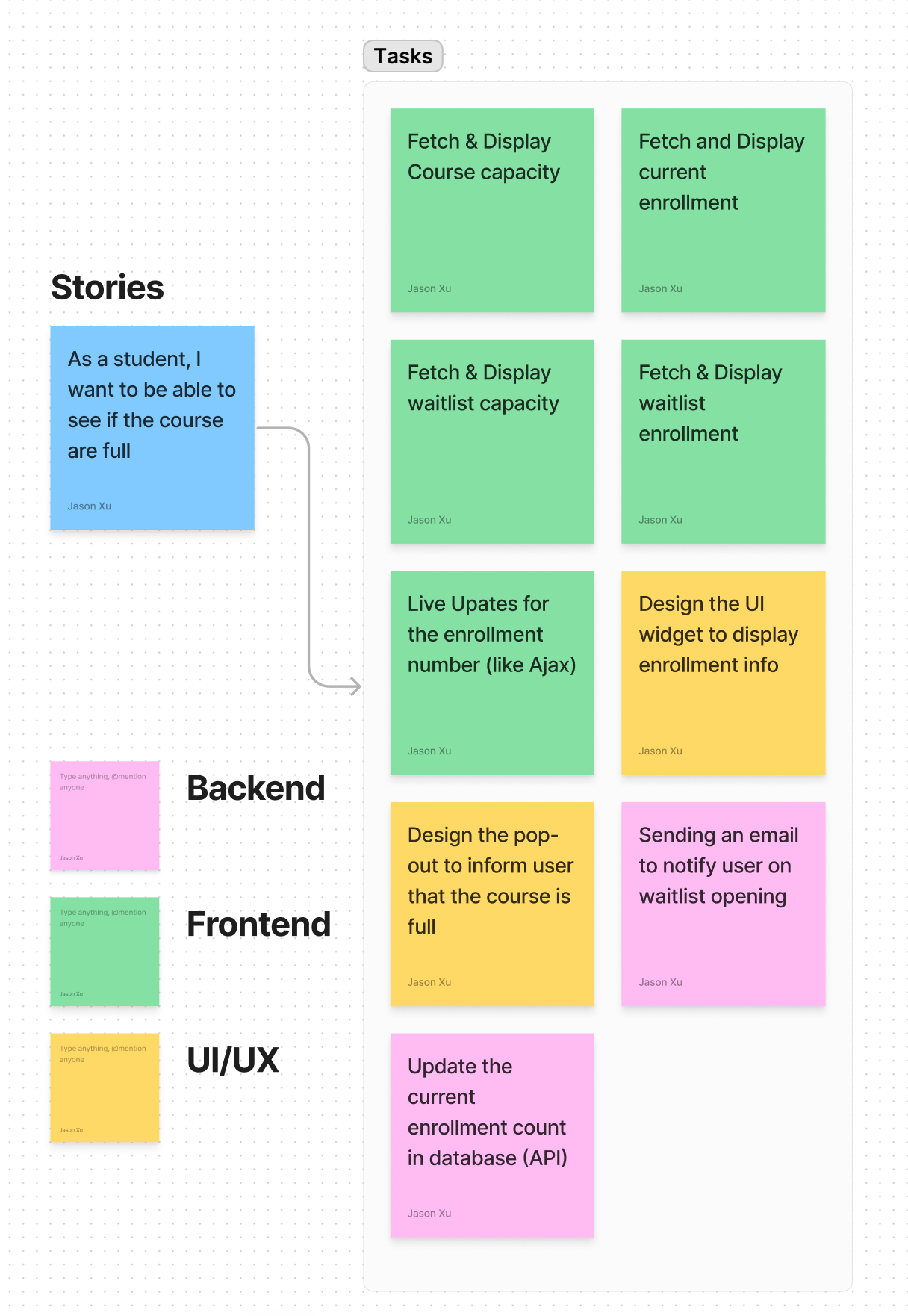 Breakdown stories into tasks
🎨 UI/UX Design
User Flow Mapping
Before head-plunging into the design/wireframe, we need to map out the user flow to ensure that the design is intuitive and user-friendly. We started by creating a user flow diagram that outlines the steps a user will take to complete a task.
After discussion, we decided to follow these important principles when designing the user flow:
Avoid Information Overload
Only show information that is relevant to the students.
Simplistic
Requires as fewer user input as possible in the registration process
Consider Edge Cases
Should factor in rare situations, such as commuters between different campuses, or students with more than 6 courses.
Guidance
Offer helpful guidance when registration request is rejected.
Fool-proof
Make sure risky action (such as drop courses) is fool-proof.
The user flow diagram mapping is quite a bit tedious, so I will just let the works speak for themselves.
Wireframing
With the user flow mapped out, we can now start to create wireframes, which is a low-fidelity visual representation of the layout of our app. Again, I will let our works speak for themselves, but if you are curious, you can check out our wireframing process Wireframing Process.
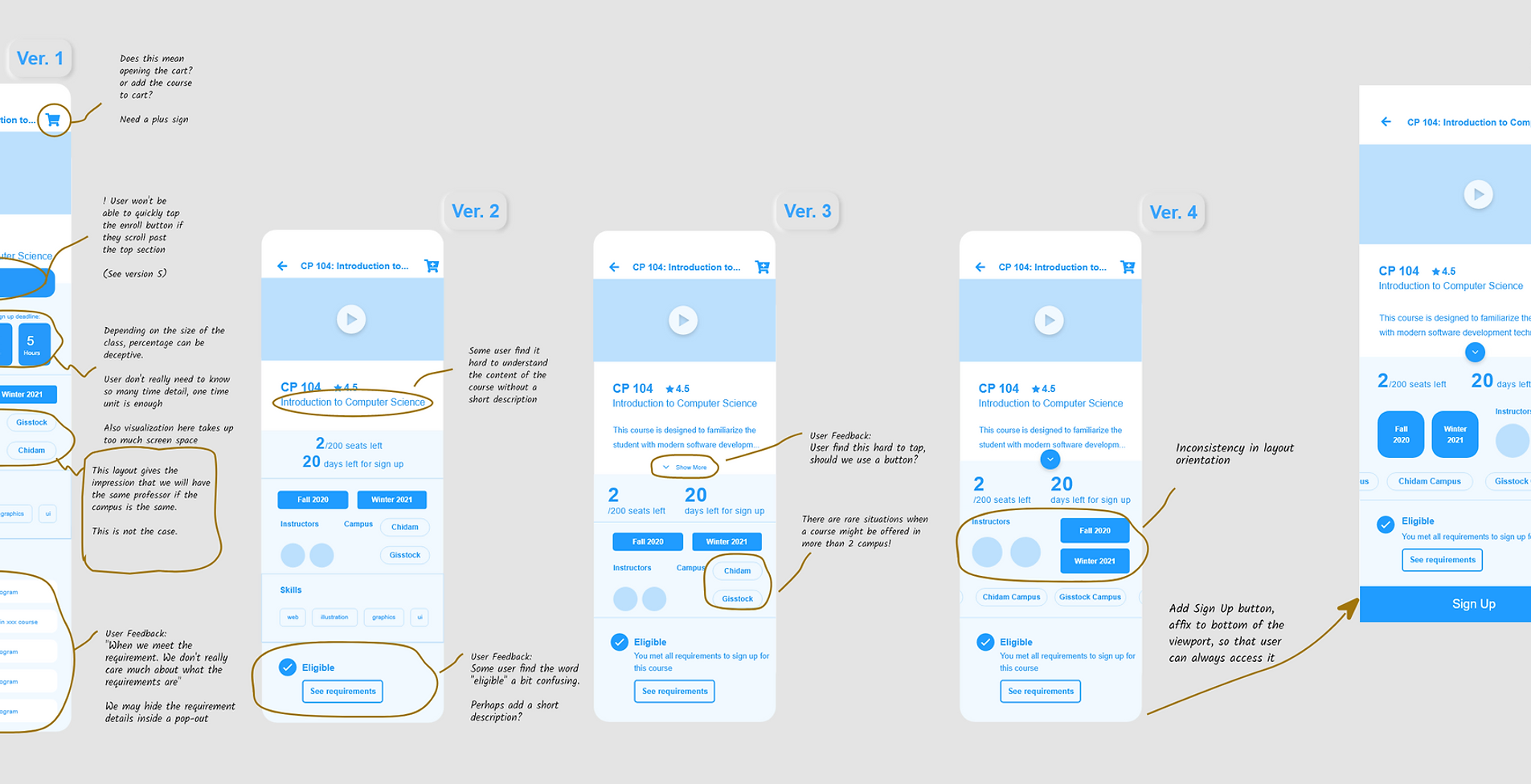 Click the Image Above to View wireframe
👨💻 Developing
Tech Stack
Vue.js, PrimeVue, Axios, TailwindCSS
Node.js, Express.js (For REST API); BcryptJS (Encrytion); Nodemailer & SendGrid (Sending Email to Users); Multer: (File Upload)
MySQL, Sequelize ORM
AWS (Backend) & Netlify (Frontend)
Jest, Storybook, Postman
Webpack, Nodemon, Vite
Why Did I choose These?
SQL:
- Structured Data: Data for courses, students, instructors, and grades are highly-structured and relational. - Data Integrity: Data integrity is crucial for a system that manages student grades and course registration. - Vertical Scaling: The system is not expected to have a large number of concurrent users, so vertical scaling is sufficient.
Node.js:
- Single Language: Using JavaScript for both frontend and backend reduces the effort for me. - Learning Purpose: I haven’t systematically learned Node.js before, so this is a good opportunity.
Vue.js:
- Learning Purpose: I have a lot experience with React.js, so I want to learn more about Vue.js to broaden my skill set.
Backend
Working Repository: https://github.com/Zhenghangxu/learn-node
Jira Dashboard: https://xujason419.atlassian.net/jira/dashboards/10000
Frontend
Working Repository: https://github.com/Zhenghangxu/edisco
⚙️ Testing and Tweaking
Work In Progress
🔨Code Review and Optimization
Work In Progress